02 · Where it started
The pet at the centre, not the owner
I started from LinkedIn's profile QR code and put the pet at the centre instead of the owner, because people are a lot more likely to follow a dog than a stranger.
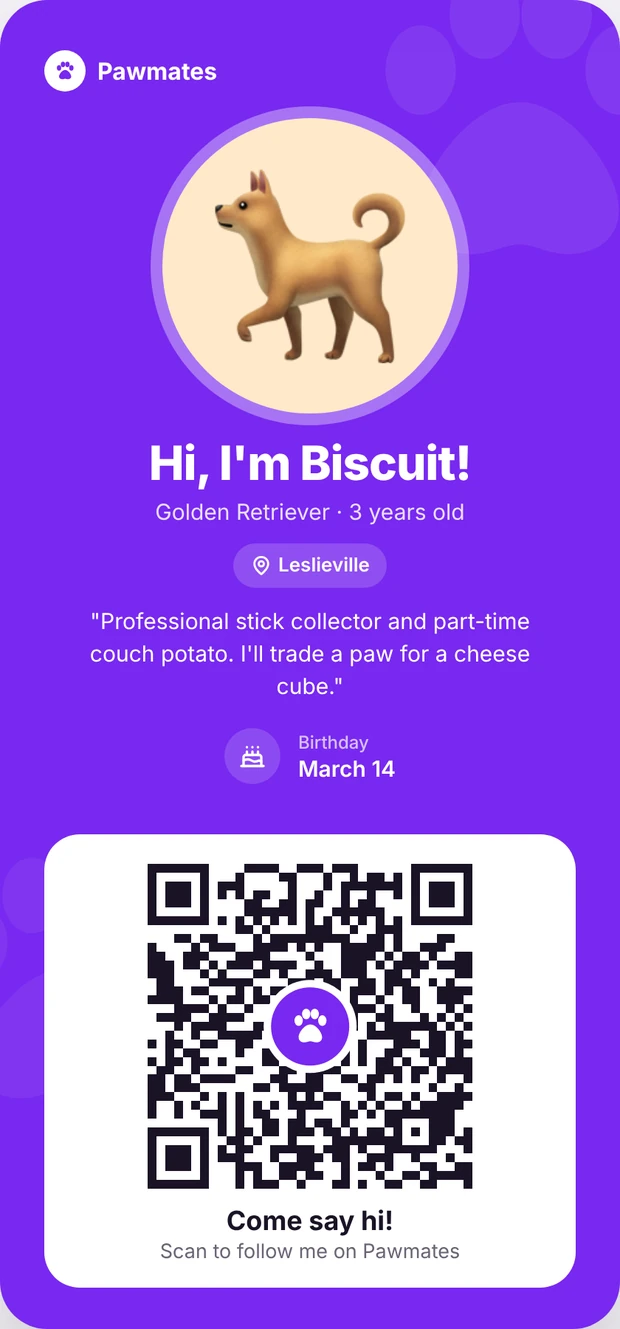
Pawmates · ideation · 2026
A facsimile of the LinkedIn profile card.
01 · The problem
Pawmates only works when a neighbourhood has enough people on it.
So installs spread across a city do not help much. And the app had no simple way for owners to bring in the people they already see every week, neighbours, dog park regulars, even the groomer.
02 · Where it started
I started from LinkedIn's profile QR code and put the pet at the centre instead of the owner, because people are a lot more likely to follow a dog than a stranger.
03 · Iterations
v0.1Close to the reference
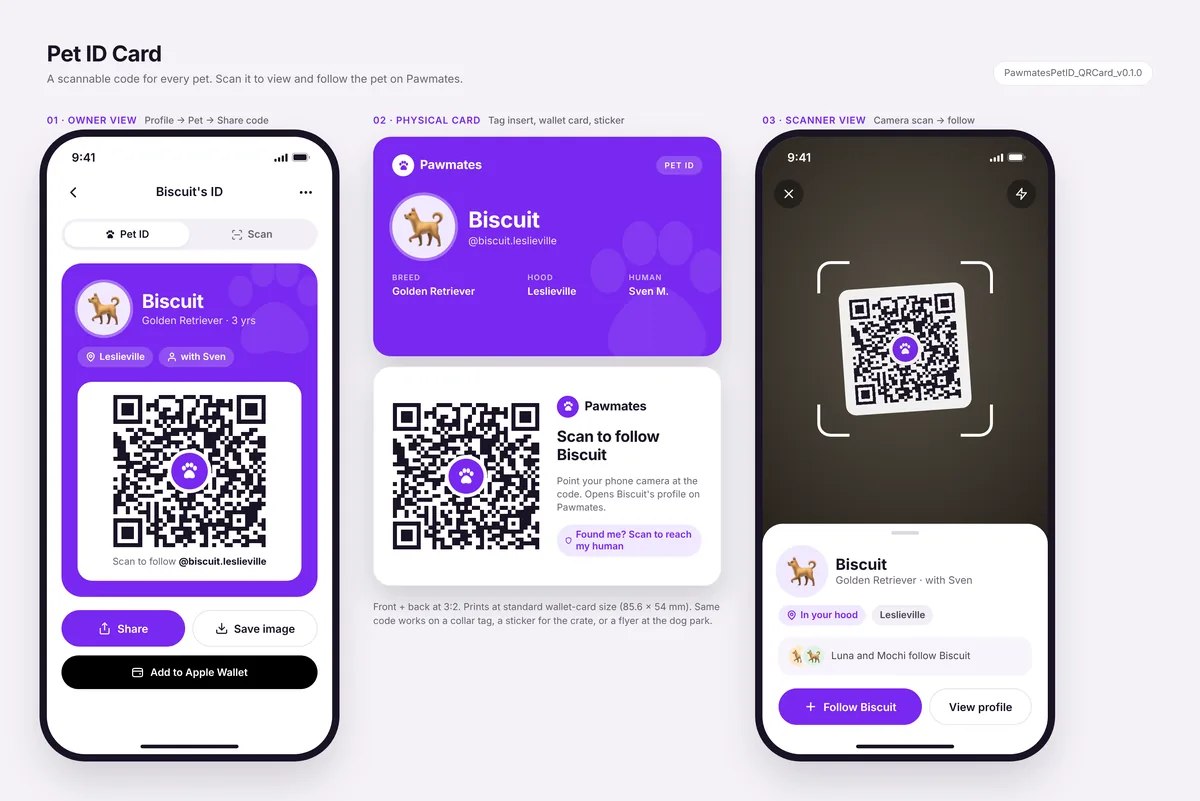
First pass, close to the LinkedIn pattern, with an owner screen, a two-sided print card and a scan screen. Still had technical labels on it.
v0.2Friendlier
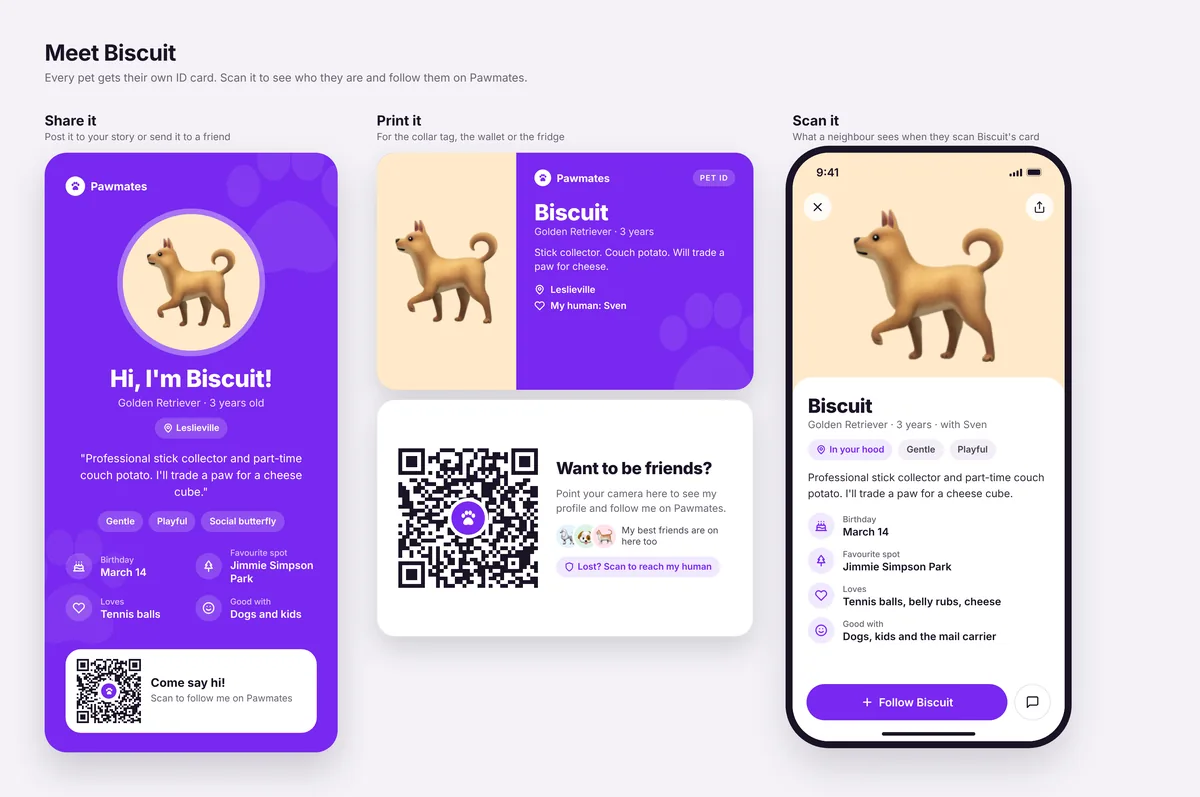
Made it friendlier, bigger photo, a bio and facts like birthday and favourite spot, and the technical details came off.
v0.3Simplified
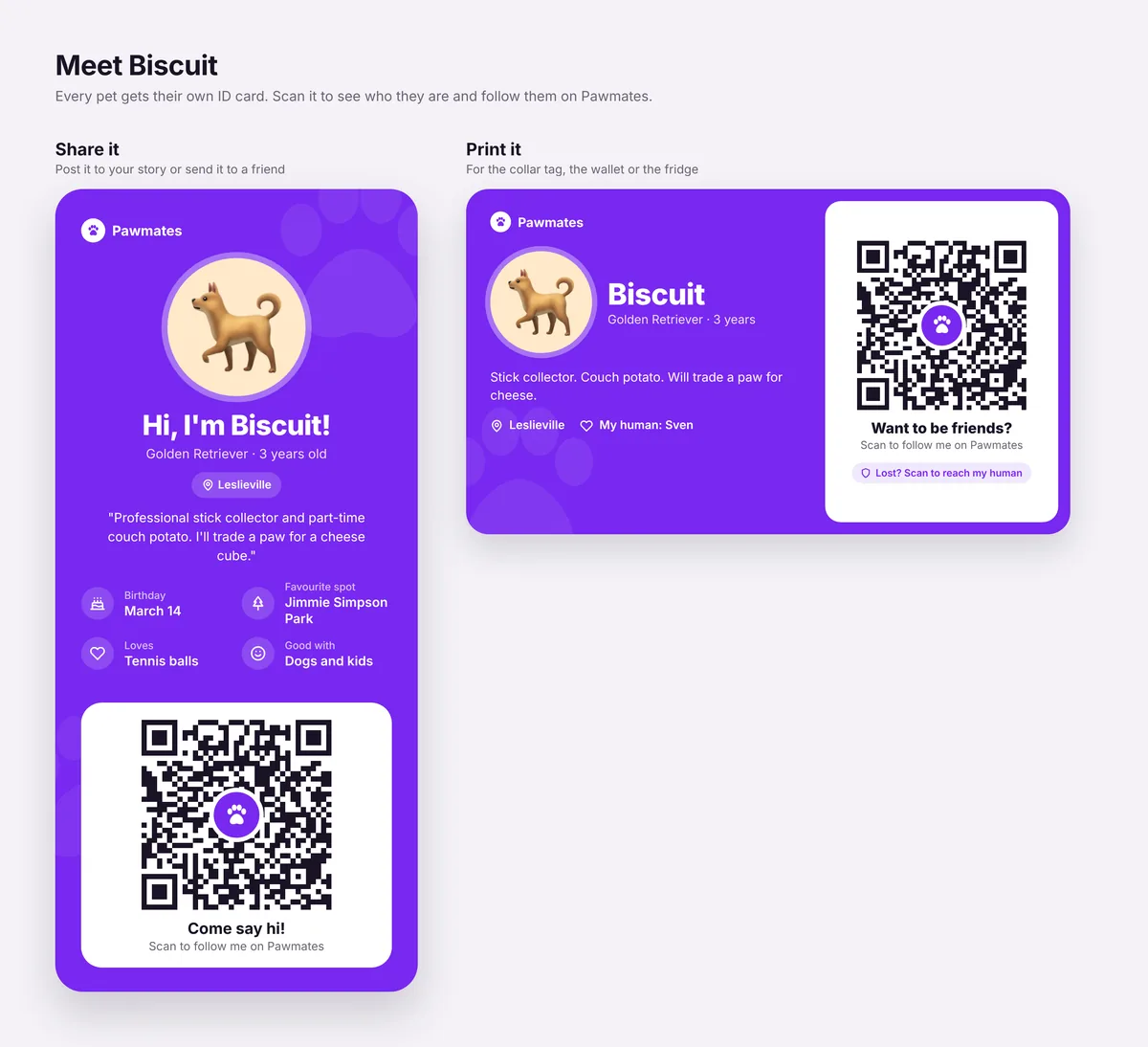
Cut the personality traits, made the code bigger, dropped the scan screen and made the print card one side, so it is easier to scan and cheaper to print.
v0.4Final
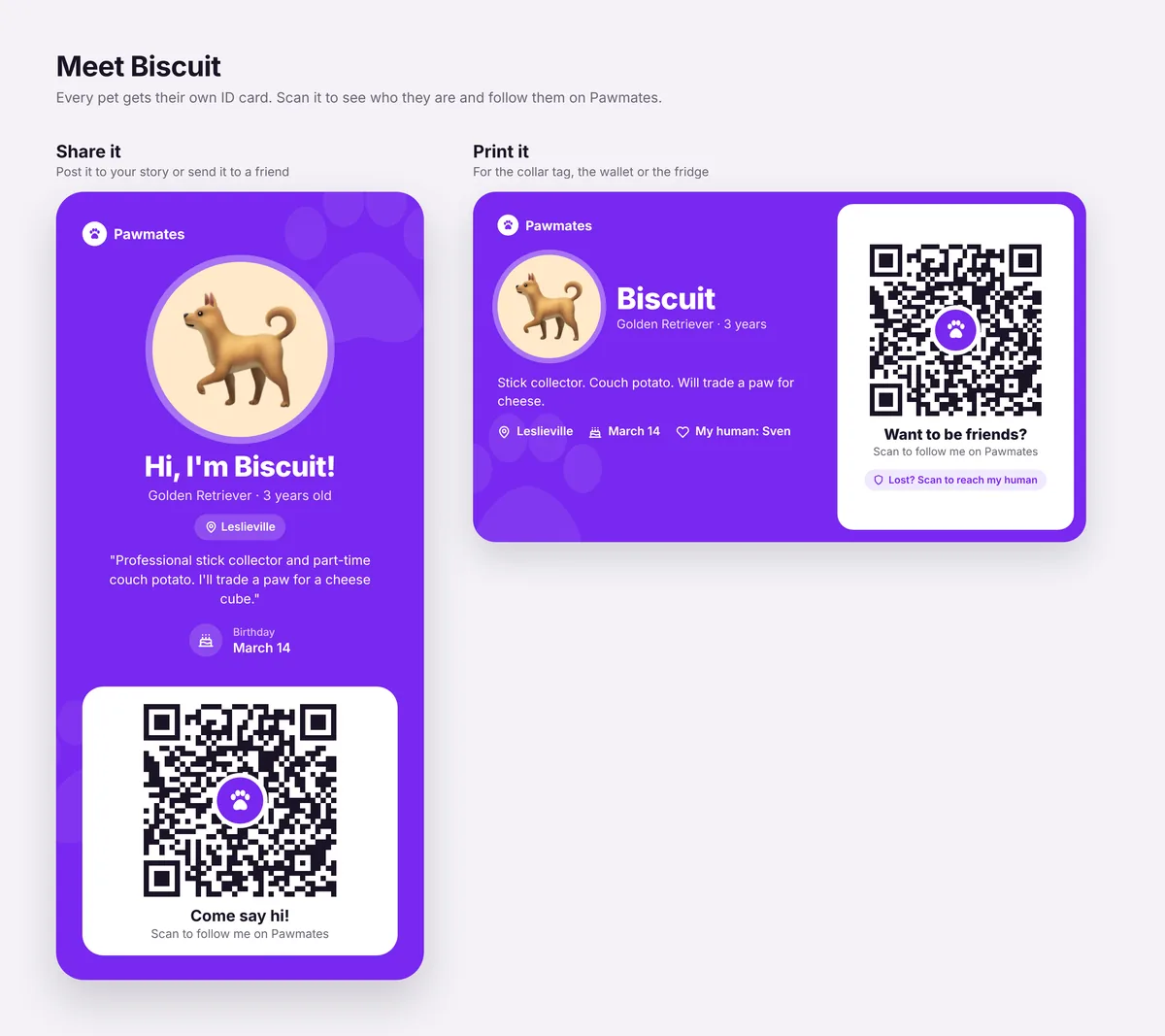
Cut every fact except the birthday, since it is also a reason to share the card again every year.
?ct=petid, because App Store links ignore UTM tags.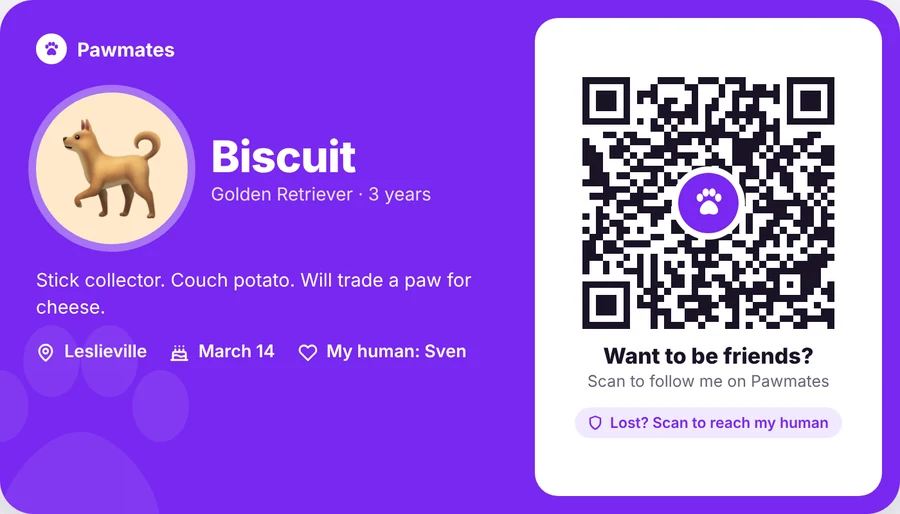
04 · User flow
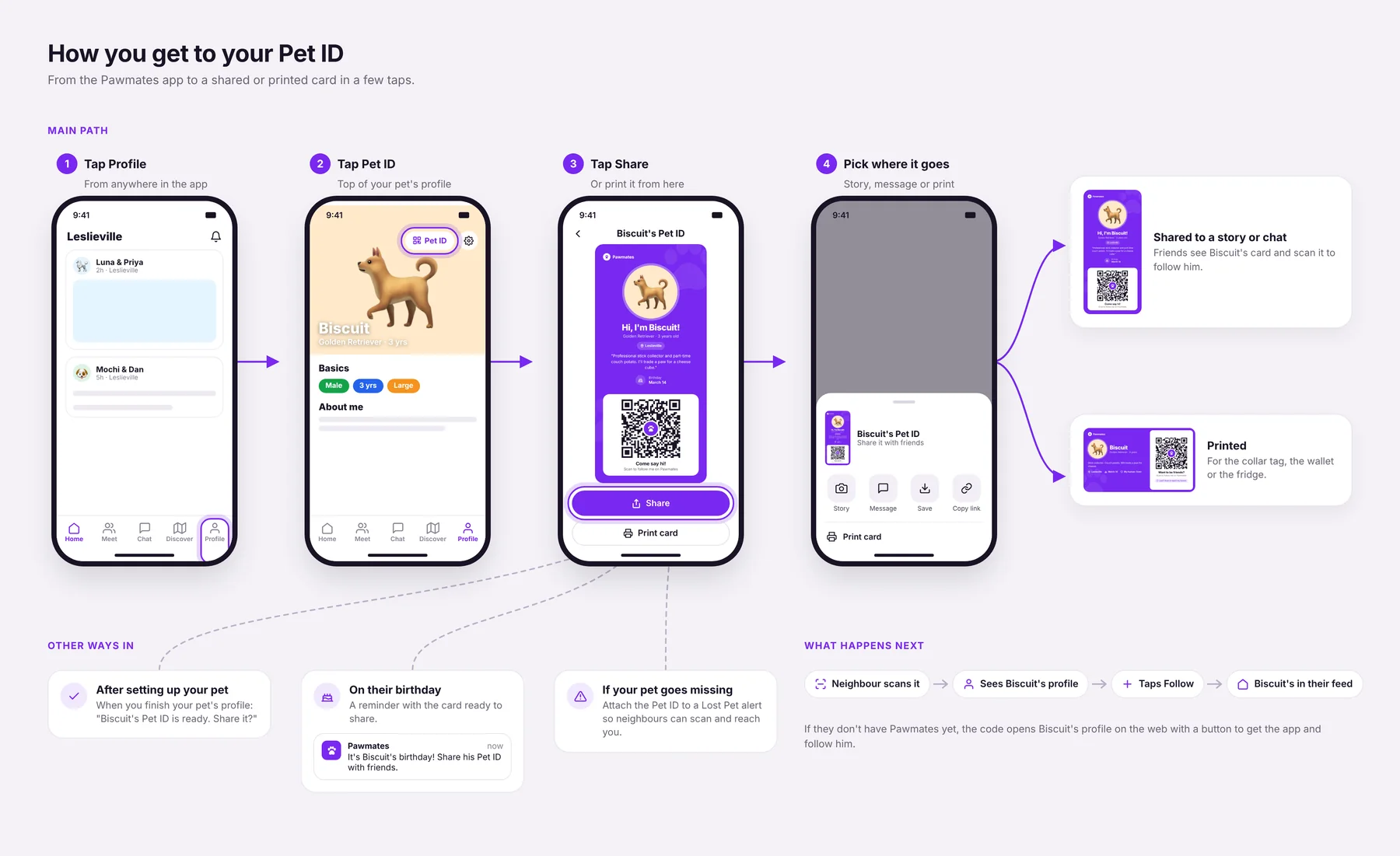
The main path is Profile, Pet ID, Share, then pick Story, Message, Save, Copy link or Print. There are 3 other ways in, a prompt right after setting up a pet's profile, a birthday reminder, and attaching the Pet ID to a Lost Pet alert.
The Pet ID button and these prompts are new. The bottom bar matches our current prototype.
05 · Framework
A growth loop treats growth as a cycle. That means one user's action creates something other people see, and that brings in the next user. The Pet ID works as a loop:
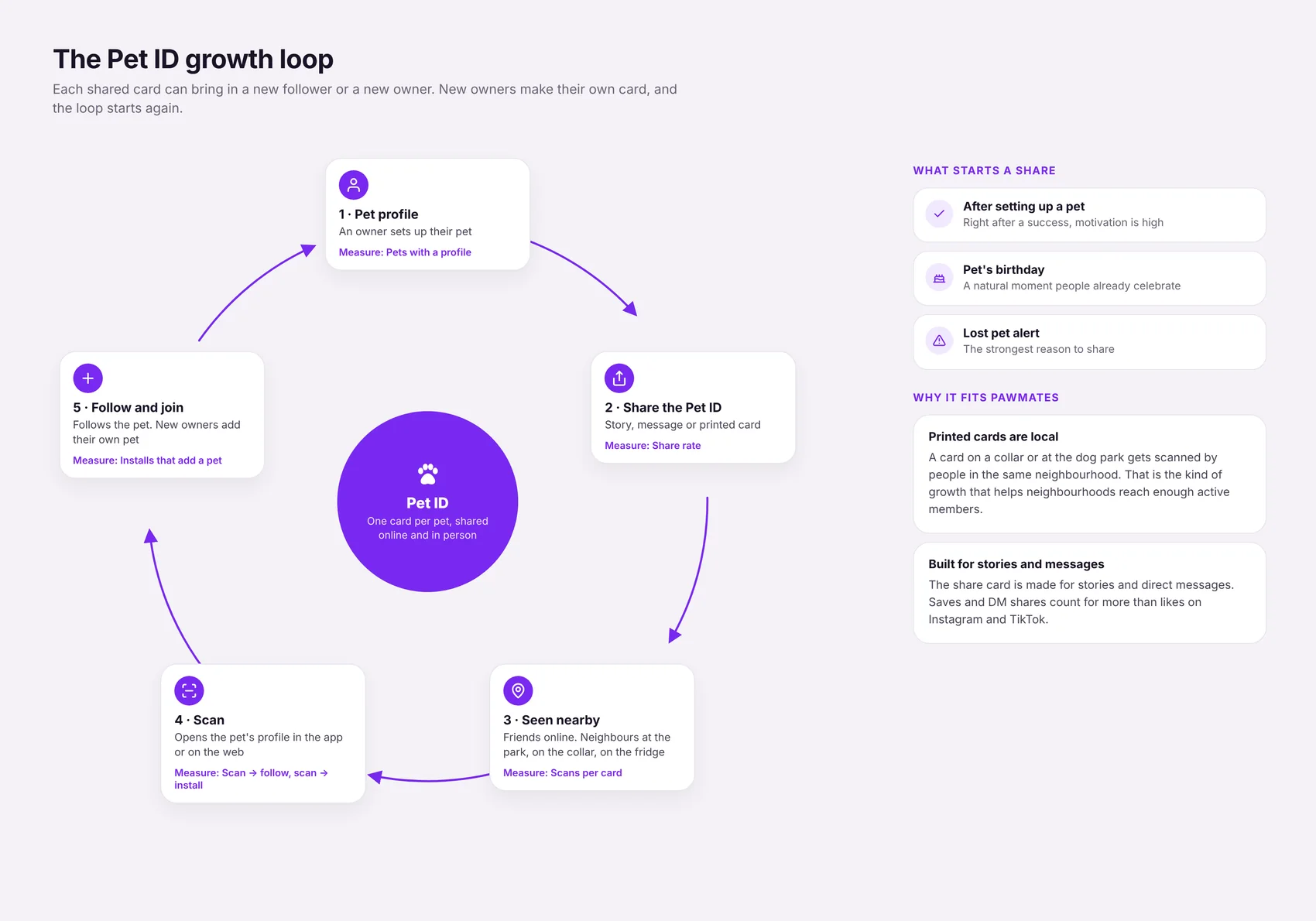
A printed card gets scanned by people in the same neighbourhood, which is exactly where we need new users.
Following more neighbourhood pets fills up the feed.
Those count for more than likes on Instagram and TikTok, and it does not need a "Download Pawmates" caption, which those platforms hold back.
A card on a collar keeps getting seen with no extra effort.
The Fogg model says a behaviour happens when motivation, ability and a prompt line up. So I kept sharing to 4 taps with nothing to type, and placed the prompts where motivation is already high, after a pet's profile is done, on the birthday, and in a Lost Pet alert. Most of the iterations were about making it easier, less to read, a bigger code, one printed side.
Growth loops: Reforge, Balfour, Winters, Kwok and Chen, 2018. Fogg behavior model: BJ Fogg, 2009. Both entries are in my design library.
06 · What I would measure
Share rate, scans per card split by online and print, follows per scan, installs from
ct=petid, new installs that go on to add a pet, how long one loop takes, and how many
scans come from the owner's own neighbourhood.
My guess for the weakest step is scan to install. So the web profile that non-members land on is the first thing I would design and test.
07 · Next steps